Getting Started - Create Environments
Octopus organizes the servers and services where you deploy your software into environments. Typical environments are Dev, Test, and Production, and they represent the stages of your deployment pipeline.
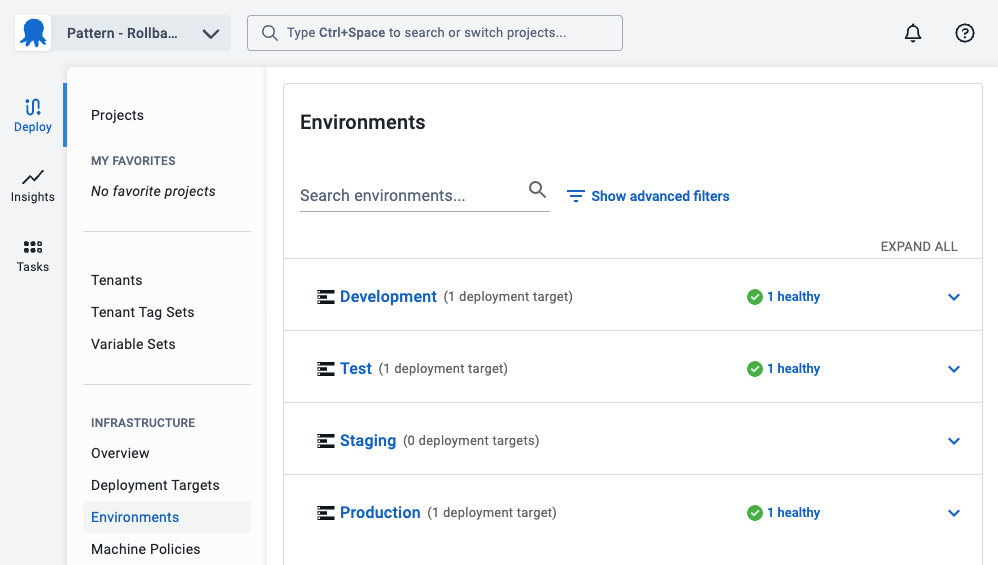
- To create an environment, in the Octopus Web Portal, navigate to Infrastructure ➜ Environments and click ADD ENVIRONMENT.
- Give your new environment a meaningful name, for instance, Test, and click SAVE.
You now have your first environment.
Try to reuse the same environments as your deployments whenever possible. You will often run runbooks on the same deployment targets as your deployment process. Creating runbook only environments can saturate your dashboards and lifecycles. If you need to have an environment for runbooks, we recommend limiting it to one or two environments at most with a name similar to Maintenance.
The next step will create a project to house the runbook.
Further Reading:
For further reading on deployment targets in Octopus Deploy please see: