The Manual Intervention Required step lets you add approvals or manual checks to your deployment process. When manual intervention occurs, the deployment will pause and wait for approval or rejection from a member of a nominated responsible team.
Add manual intervention step
-
From the Hello world deployment project you created earlier, click Process in the left menu.
-
Click Add Step.
-
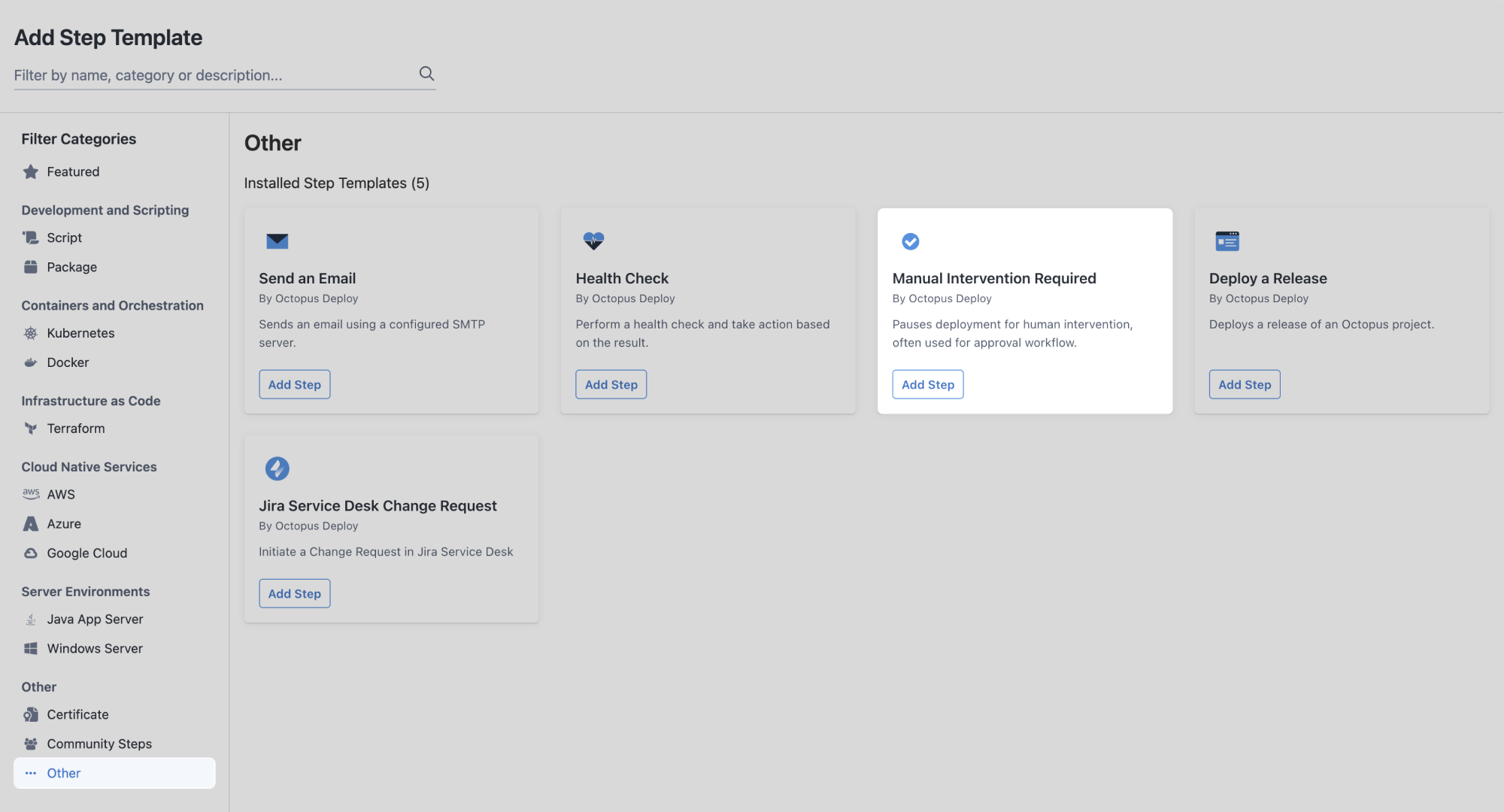
Select the Other category to filter the types of steps.
-
Locate the Manual Intervention Required card and click Add Step.
Step name - You can leave this as the default Manual Intervention Required.
-
Instructions - Copy the message below and paste it into the Instructions field.
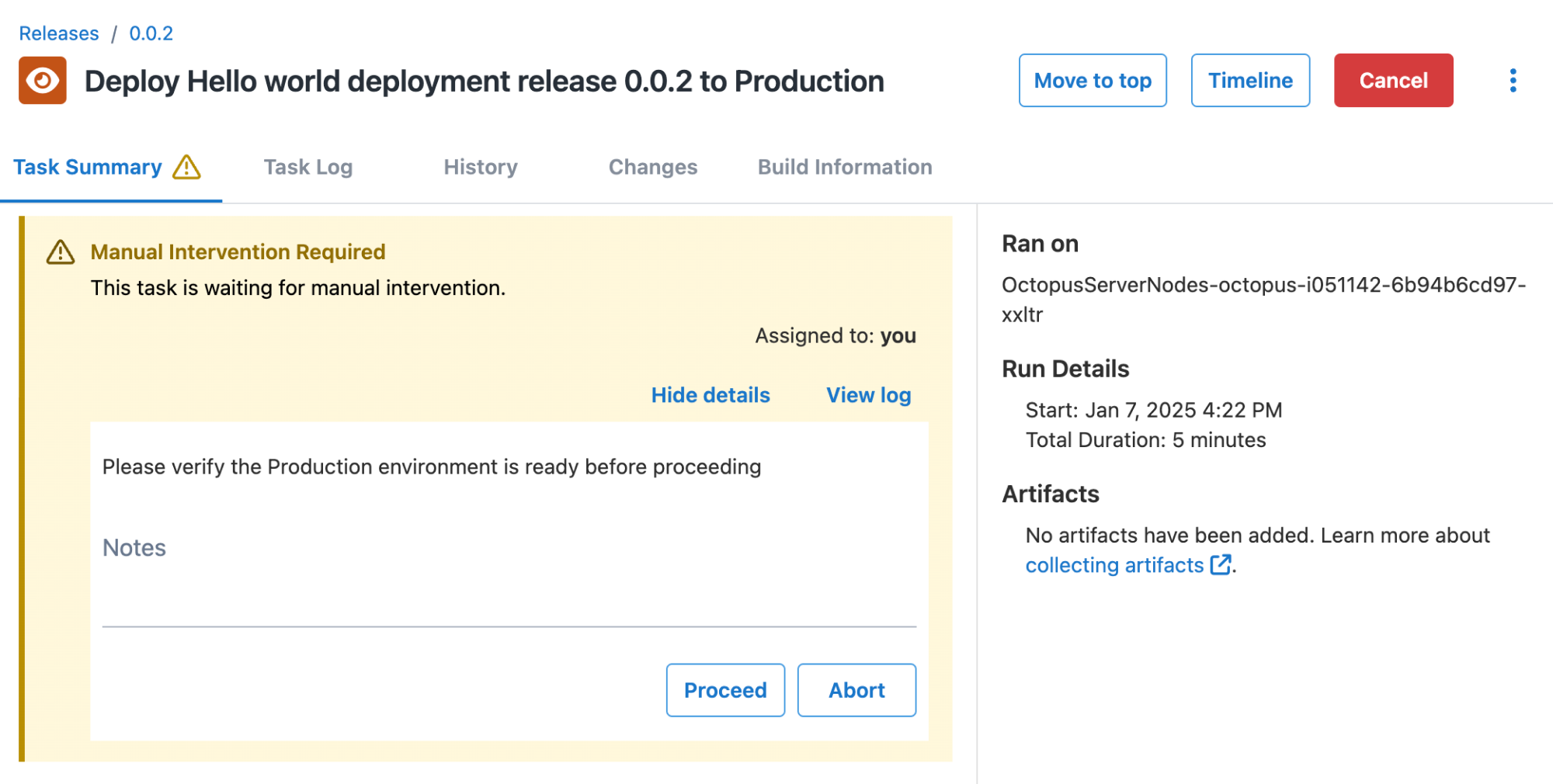
Please verify the Production environment is ready before proceeding. -
Responsible Teams - Select Octopus Administrators and Octopus Managers from the Responsible Teams dropdown list.
-
Select Run only for specific environments.
-
Select Production from the Environments dropdown list.
You can skip the other sections of this page for this tutorial.
Reorder deployment steps
Currently, your deployment process will run manual intervention after the script step. In a real deployment scenario, it makes more sense to run manual intervention before any other step.
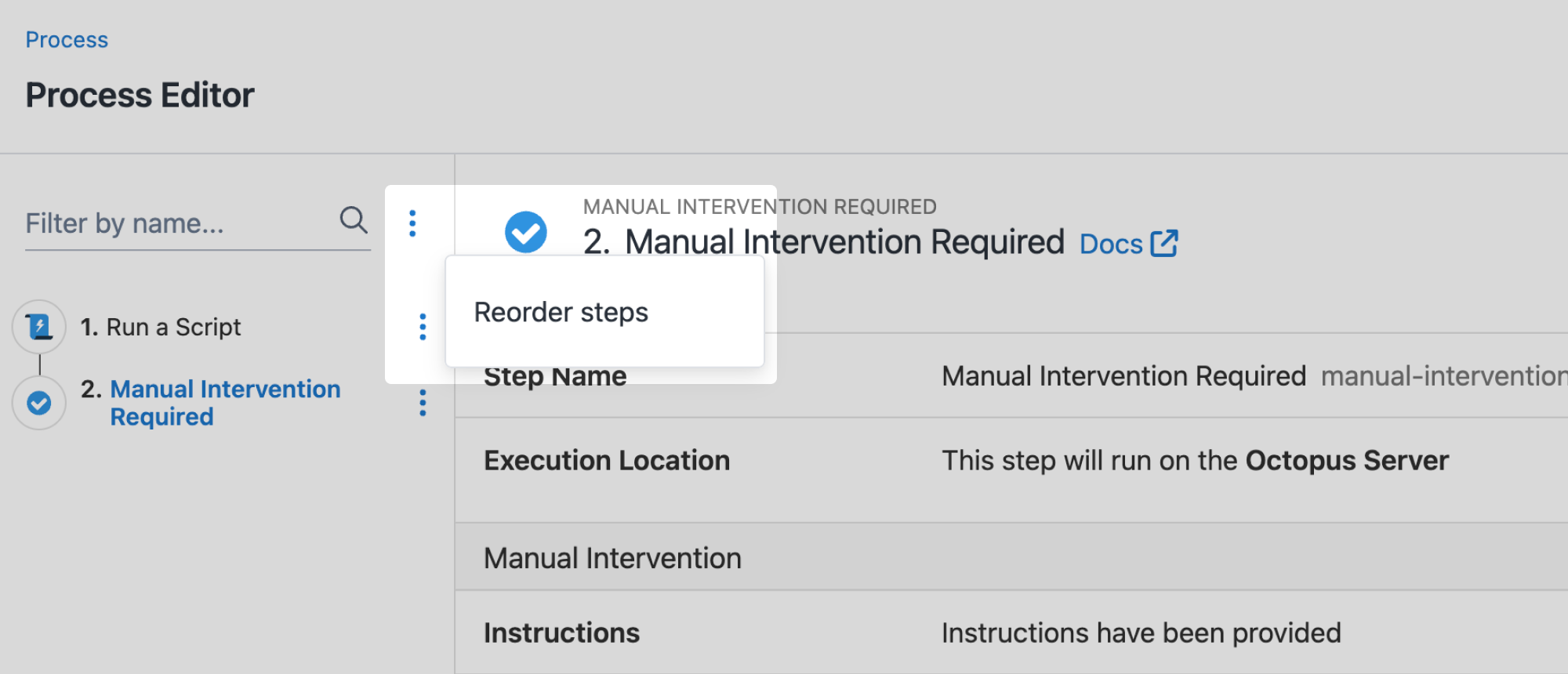
- Click the overflow menu ⋮ next to the Filter by name search box and click Reorder Steps.
- Reorder the steps so manual intervention is at the top of the list.
- Click Done.
- Save your deployment process.
Release and deploy
- Create a new release and deploy it through to the Production environment.
You will notice manual intervention doesn’t run in the Development or Staging environments. When the deployment reaches Production, it will pause and request approval.
Your project is coming together well! Next, let’s add a deployment target.
All guides in this tutorial series
- First deployment
- Define and use variables
- Approvals with manual interventions (this page)
- Add deployment targets
- Deploy a sample package