One of the essential steps in deploying software is configuring it to work with specific environments. This might mean pointing your application to the right database connection string, tweaking settings to run in production, or specifying a custom installation directory. Many of the steps that you define as part of your deployment process have additional configuration features available.
Enable configuration features
You enable configuration features as you define the steps in your deployment process.
- If the step you are defining has configuration features available, there is a CONFIGURE FEATURES link. Click the link.
- Select the features you would like to enable by clicking the relevant check-boxes in the list and click OK.
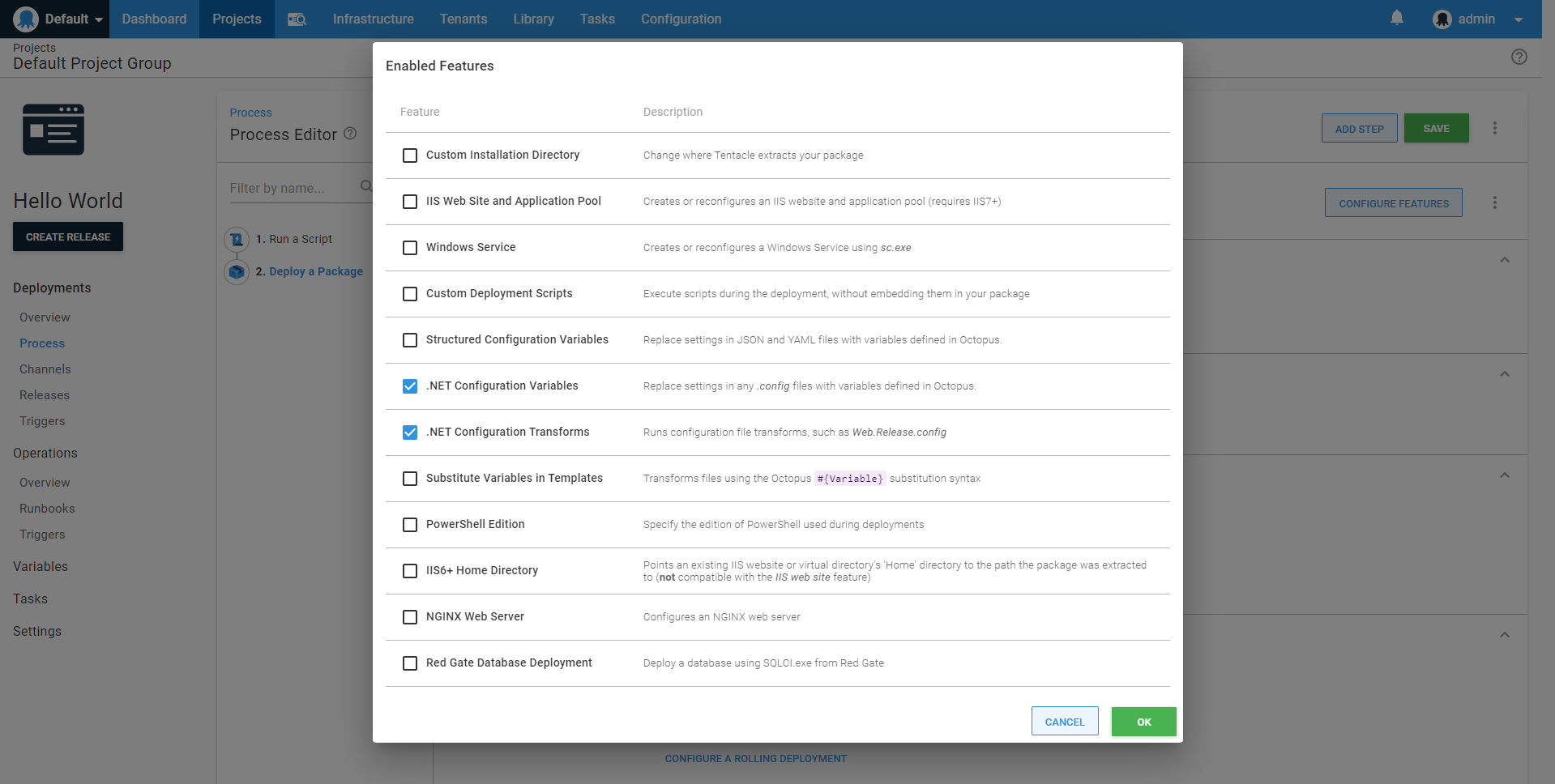
The features you have enabled will now be available in the Features section of the step you are defining.
You can configure the following features: