Octopus limits the number of tasks it can run in parallel to a default of five tasks. If you are running the self-hosted version of Octopus and you find yourself needing to change this limit, you can do so with the steps outlined on this page.
If you’re running Octopus Cloud, your task cap is controlled by Octopus. To discuss changing your task cap in Octopus Cloud, get in touch with us.
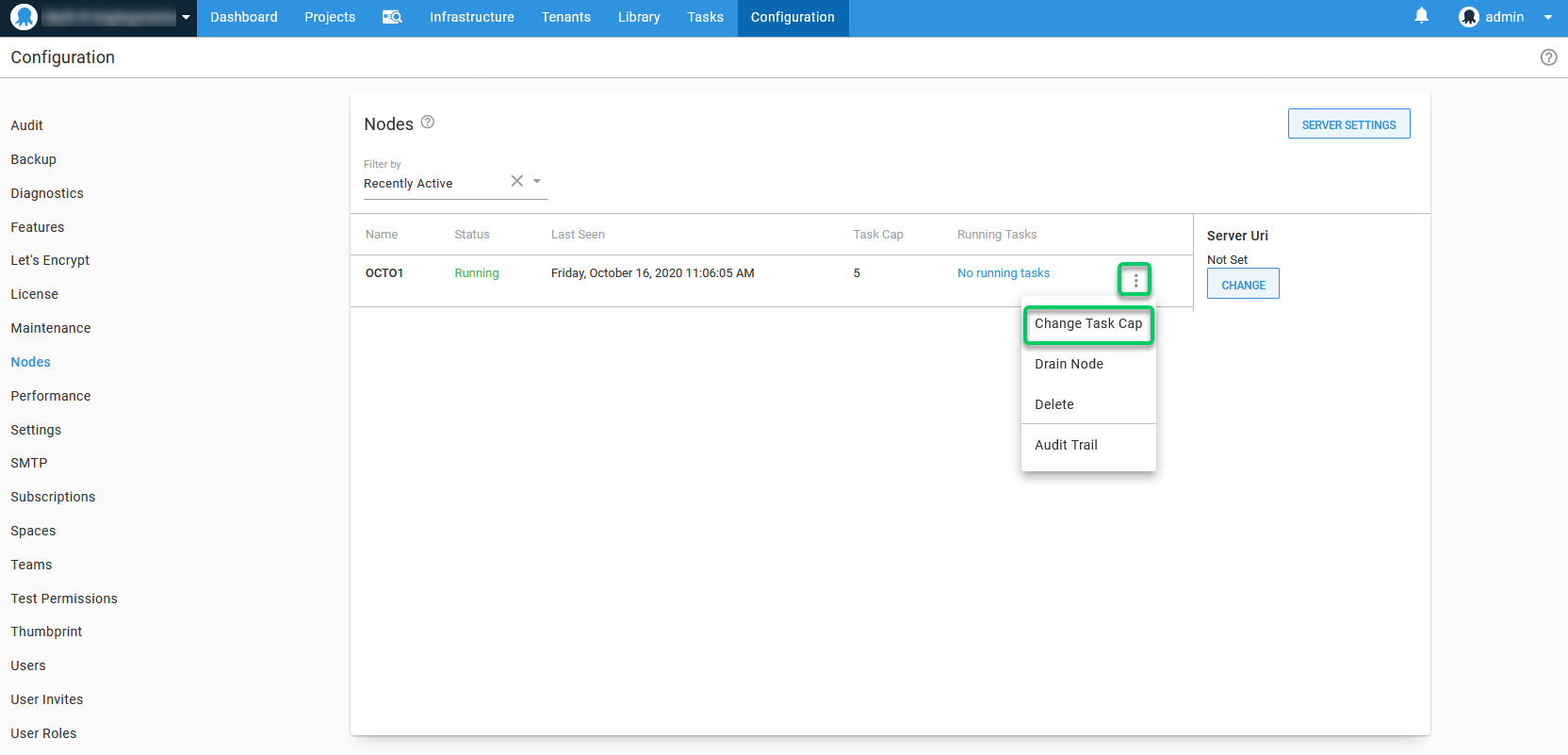
Under Configuration ➜ Nodes select your Octopus Node.
-
Select the overflow menu (
...). -
Select Change Task Cap:
-
In the new window you can select a new maximum synchronous Task Cap and save:
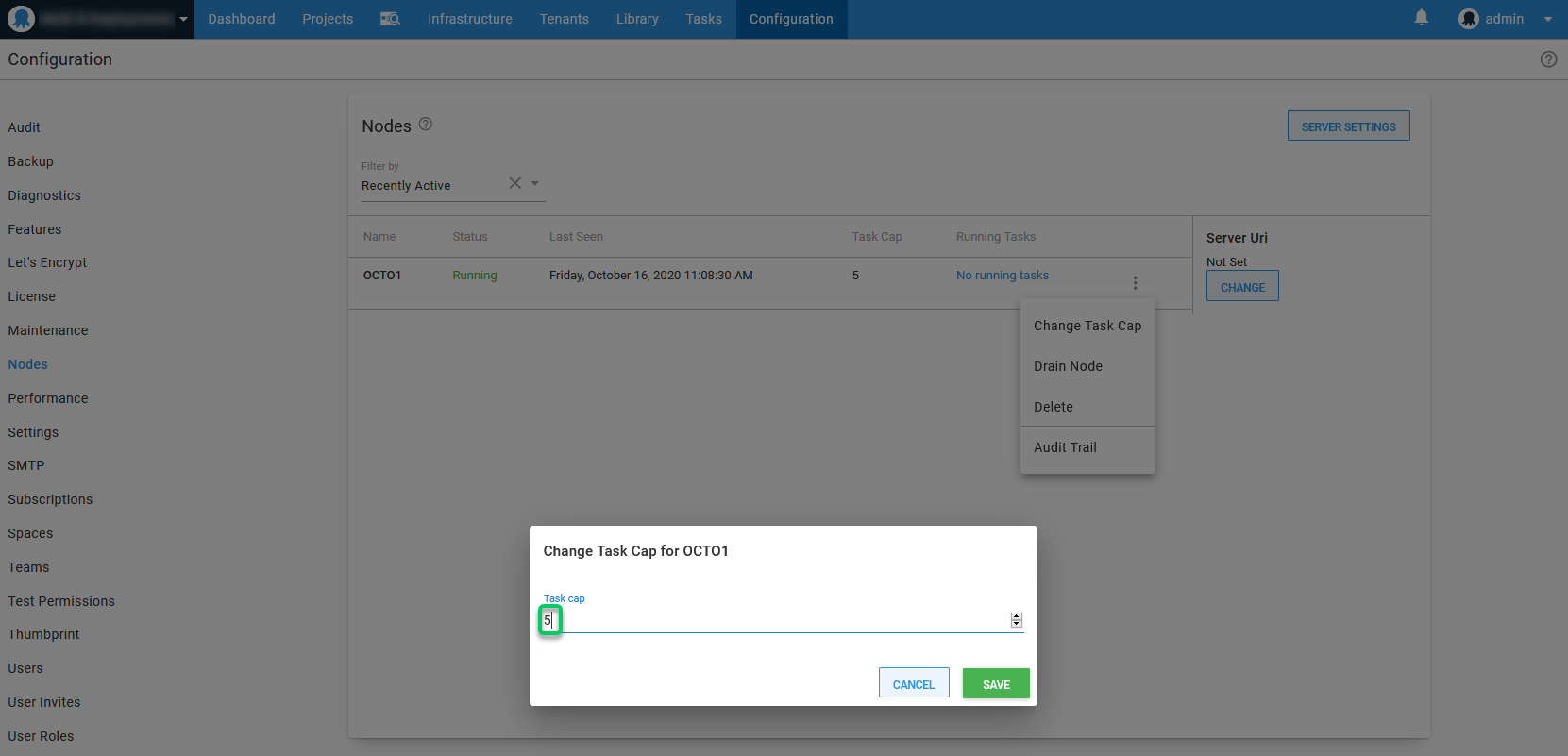
Increasing the task cap will increase the maximum number of tasks the Octopus Server can run simultaneously. This should be increased with caution, as Octopus will require more system resources to handle the increased limit.
For information specific to High Availability nodes and task caps please see the following documentation page. Maintaining High Availability nodes