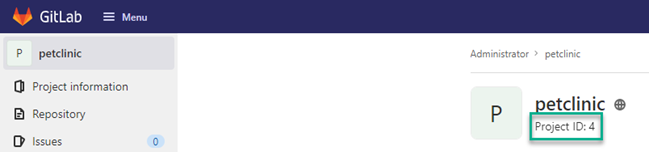
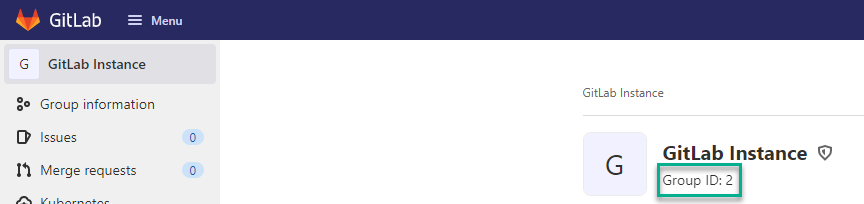
GitLab creates a NuGet Registry for each Project or Group. To add the NuGet Registry to Octopus Deploy as an external feed, you will first need to get the Project or Group Id
Project Id
Group Id
Adding a GitLab NuGet repository as an Octopus External Feed
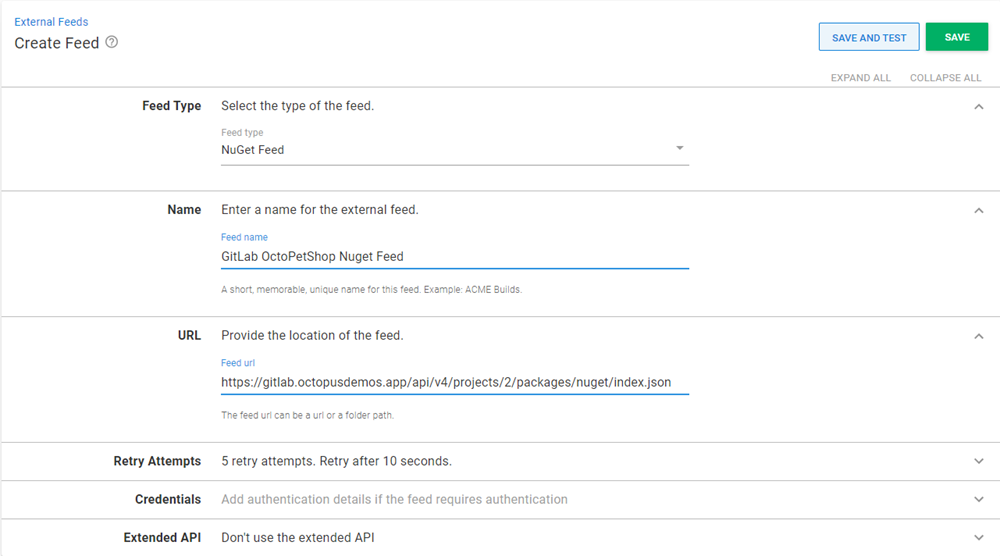
Create a new Octopus Feed by navigating to Deploy ➜ Manage ➜ External Feeds and select the NuGet Feed Feed type.
Give the feed a name and in the URL field, enter the HTTP/HTTPS URL of the feed for your GitLab Project or Group in the format:
Project:
https://your.gitlab.url/api/v4/projects/[project id]/packages/nuget/index.json
Group:
https://your.gitlab.url/api/v4/groups/[group id]/-/packages/nuget/index.json
Replace the URL from the examples above.
Optionally add Credentials if they are required.