Set built-in feed retention policy
You can find the built-in repository retention policy settings under Deploy ➜ Manage ➜ Packages.
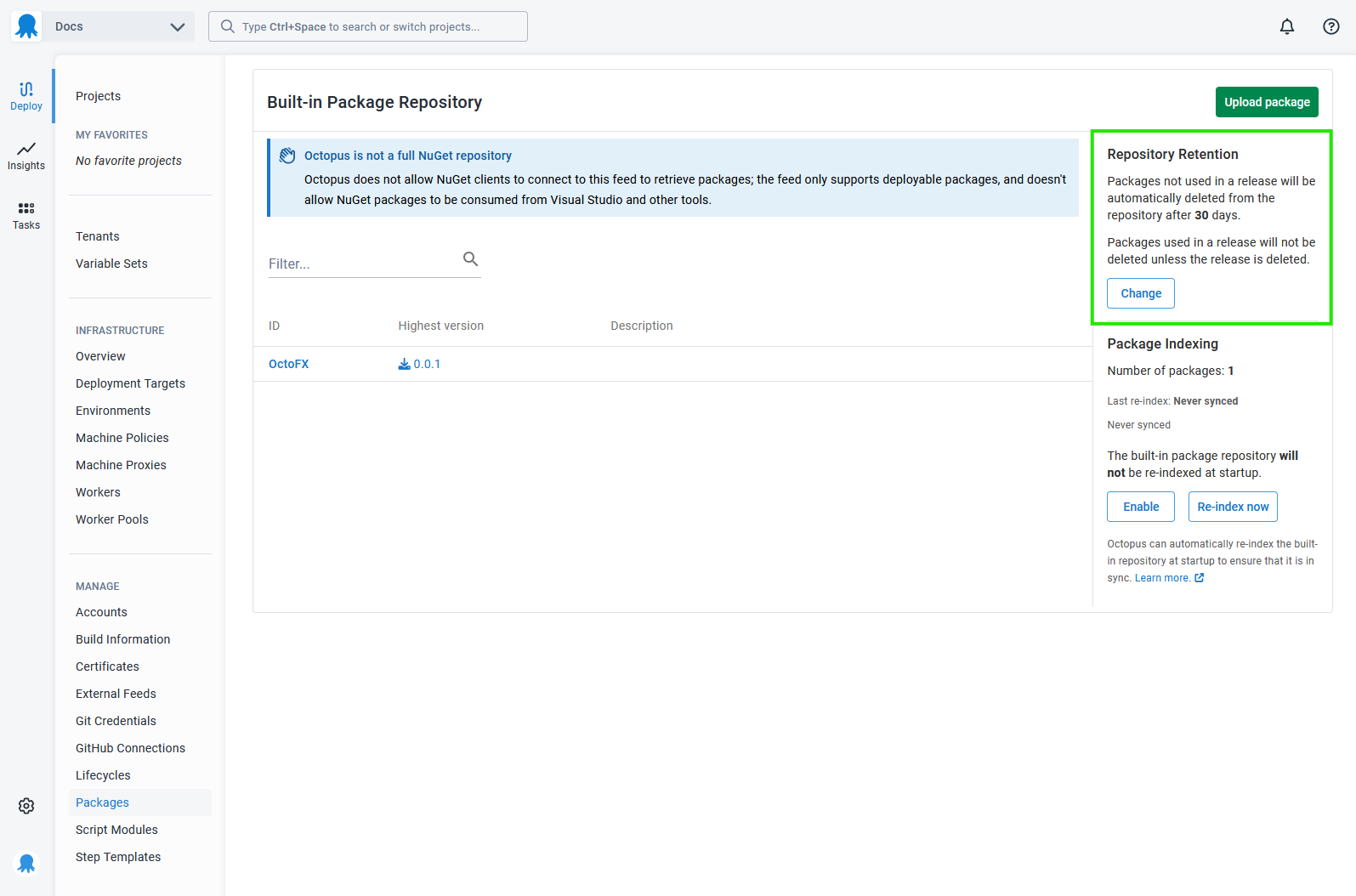
In Octopus Server, this can be set to keep packages forever, or for a set number of days.
Octopus Cloud instances are subject to storage limits.
Professional instances have a default to keep 30 Days, but this limit can be changed.
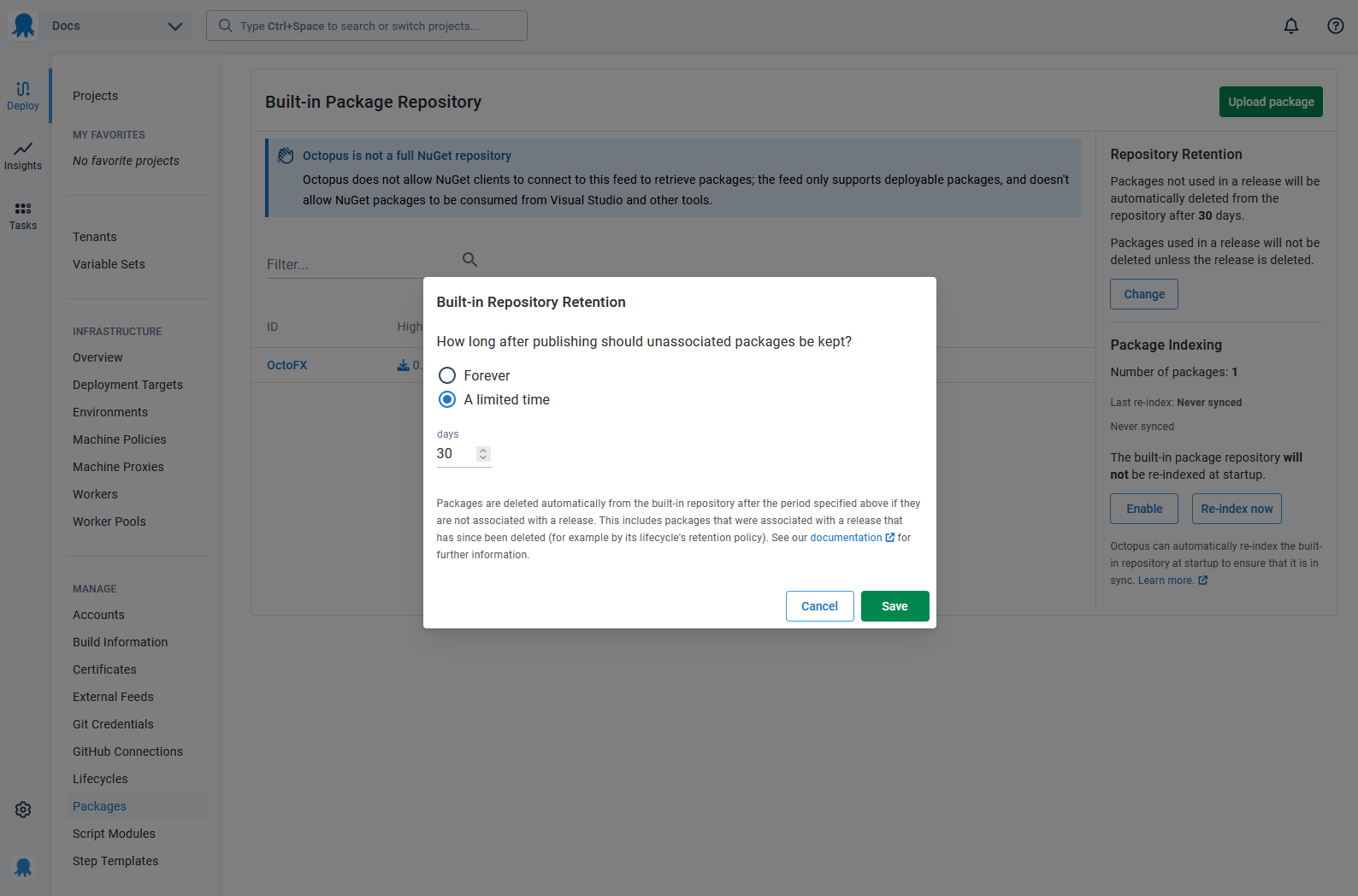
Choosing A limited time will allow you to select the number of days to keep a package in the repository. The default value is 30, but you can choose something shorter or longer based on your needs.
Which packages are deleted
Note on package clean-up
Only packages that are not associated with releases will be cleaned up. That means even if a package is older than the value you choose, if it’s attached to an existing release, it won’t be cleaned up until that release is also cleaned up.
When a package retention policy is applied, Octopus will delete packages that meet both of the following criteria:
- The time span from the package’s initial publish date exceeds the configured time period in the policy
- The package is not associated with any releases in Octopus.
Set up deleting packages associated with releases
From Octopus version 2025.3.672, packages associated with releases in the Octopus Built-in repository can be deleted. This feature is being rolled out gradually behind a feature toggle. If you would like to request this functionality early, please contact support.
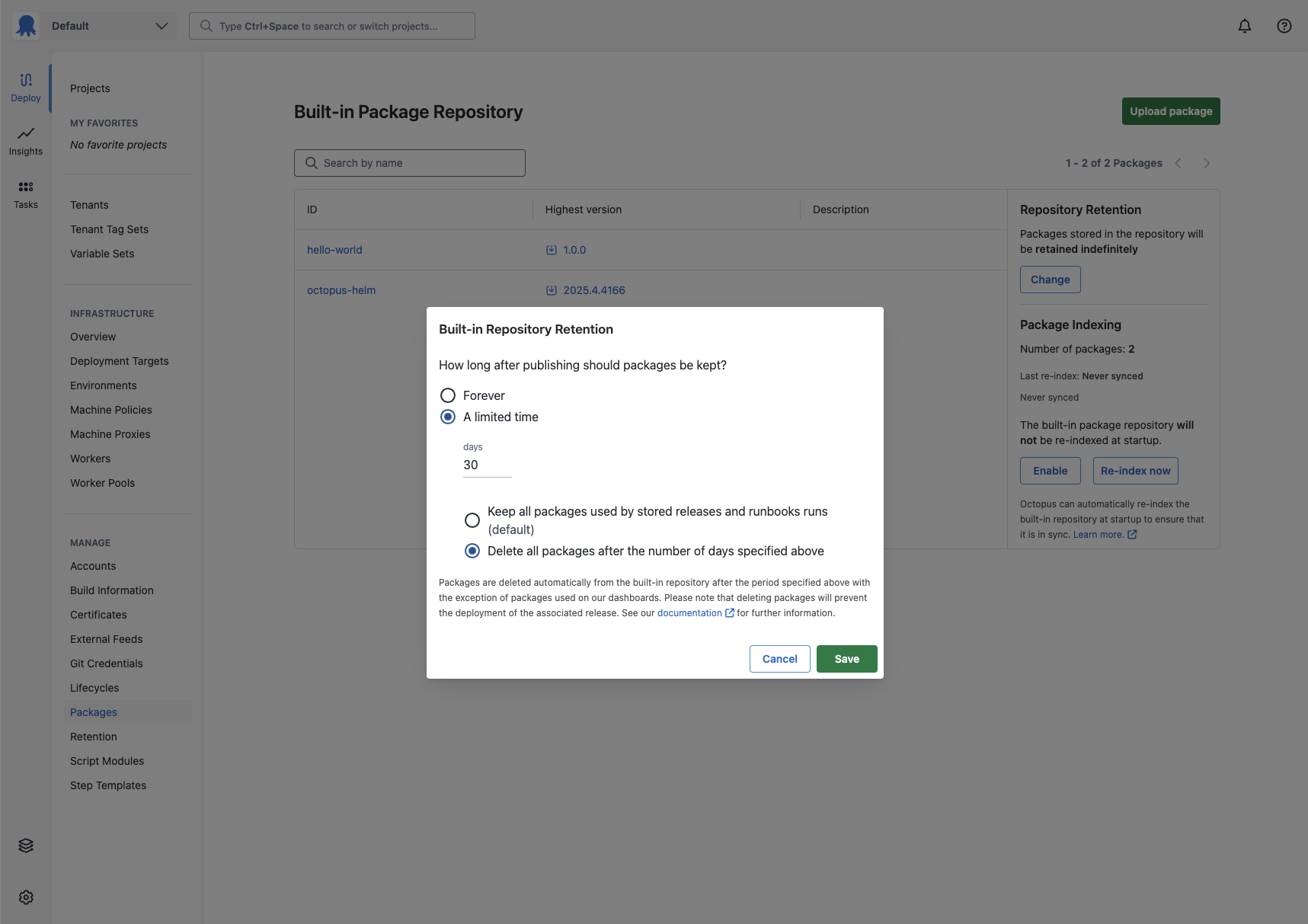
To enable deleting packages associated with releases, from the Built-in Repository Retention configuration page:
- Select A limited time and configure the number of days to retain packages.
- Select Delete all packages after the number of days specified above
This option ensures that packages associated with releases and runbook runs are deleted from the Built-in Repository. Any packages associated with releases displayed on either the main dashboard or a project dashboard are never deleted. Any packages associated with runbooks displayed on the projects runbook dashboard are also never deleted.
When this option is selected and a package retention policy is applied, Octopus will delete packages that meet both of the following criteria:
- The time span from the package’s initial publish date exceeds the configured time period in the policy
- The package is not associated with a release or runbook run displayed on the dashboard